Feature · WebRTC and network identity

What a Profile sends on the wire follows the Profile, not this computer

A proxy decides where a Profile's traffic exits. The rest of its network identity is decided by the kernel: which WebRTC candidates a page can read, where DNS is resolved, and which user agent and languages every request carries.

Product documentation · Last reviewed October 14, 2026Reviewed against the current public product scope by the Agilelogin product team.
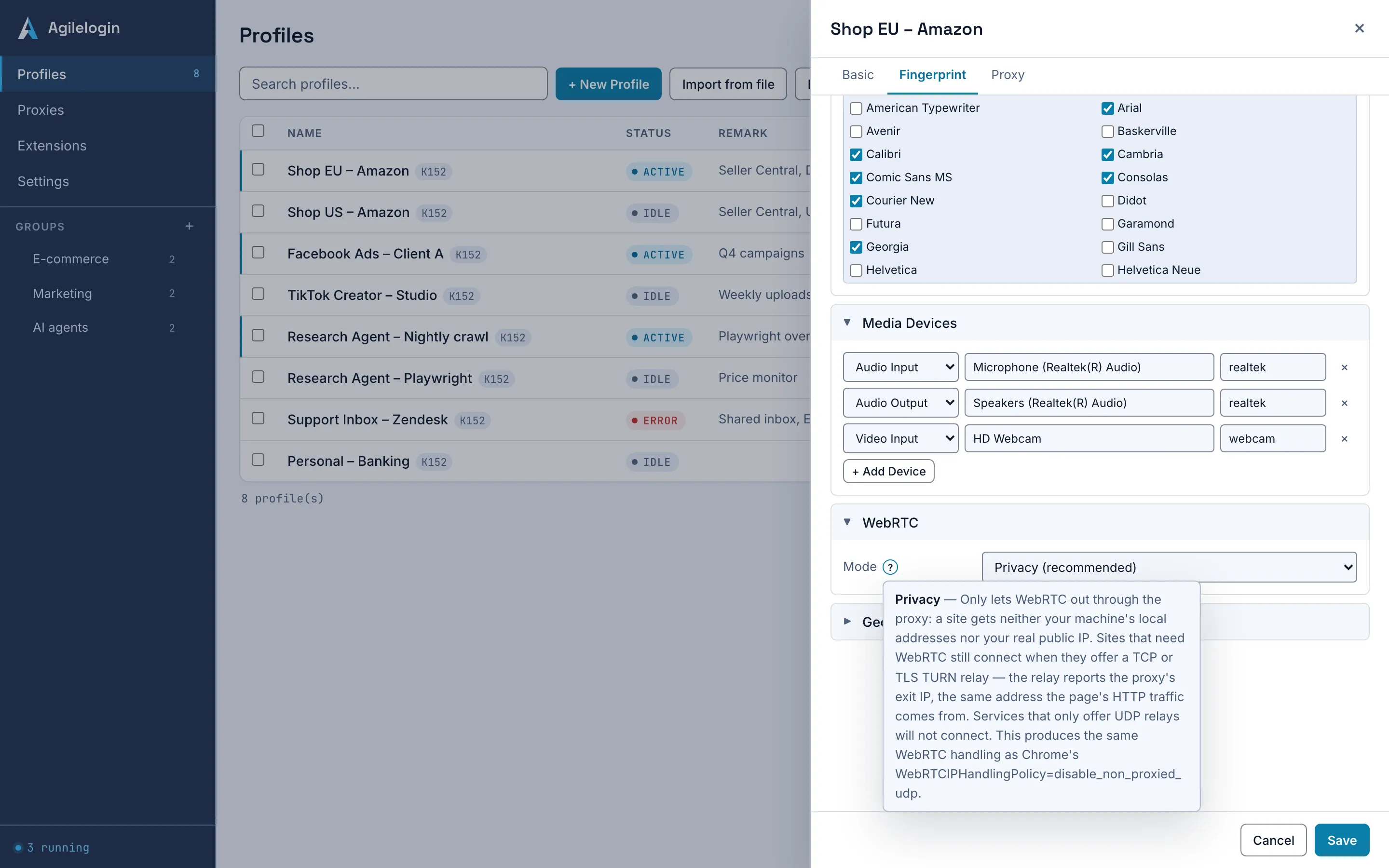
WebRTC section of the fingerprint editor with the mode selector on Privacy and a help bubble explaining the mode.

What is network identity?

Network identity is everything a server can learn about a visitor from the connection rather than from the page: the IP a WebRTC candidate reveals, the resolver that answers DNS, the user-agent and Accept-Language headers, and the background requests a browser makes on its own. In a Profile launched by Agilelogin, each of these follows the Profile's configuration.

What the kernel controls

Four decisions that are made per Profile.

01

Three WebRTC modes

Privacy, the default, lets WebRTC out only through the proxy, so a page gets neither the machine's local addresses nor its real public IP. Replace IP rewrites the address a site reads to the proxy's fixed exit IP. Block connections stops WebRTC entirely. The kernel keeps two legacy values, Forward STUN and Allow, for existing Profiles and debugging; a new Profile cannot select them.

02

DNS stays on the proxy's route

With a proxy bound, the kernel switches DNS-over-HTTPS off and locks it, so name lookups are not sent to a public resolver outside the Profile's route.

03

The Profile's headers everywhere

The user agent, its Client Hints and the Accept-Language list from the fingerprint are sent on every request, including the kernel's own background ones, and the language list is not reduced to a single entry.

04

Quiet at startup

A Profile launched by Agilelogin does not fetch Google's account list, suggestions or new-tab content at startup, has no browser sign-in, and sends a minimised component-updater request through the proxy.

What each choice covers

The editor refuses the combinations that would contradict the proxy; the rest is a judgement for the operator.

SubjectAgilelogin boundaryOperator action
Replace IP on a rotating proxyRefused: the rewritten address would go stale as soon as the exit changedKeep Privacy, or mark the proxy as fixed-exit only if it really is.
Forward STUN or Allow on an older ProfileLegacy values: shown only on a Profile that already has one; both expose this machine's own addressSwitch the Profile to Privacy and save; the legacy value is then no longer offered.
A site that runs its own STUN or TURN serverCan tell Replace IP apart; Privacy exposes no address to itPrefer Privacy for sites you do not control.

Choosing a WebRTC mode

Most Profiles never leave the default.

  1. STEP 01

    Keep Privacy

    For a proxied Profile, Privacy exposes no local or public address and still connects through a site's TCP or TLS TURN relay, which reports the proxy's exit IP.

  2. STEP 02

    Consider Replace IP only with a fixed exit

    If a site insists on reading a server-reflexive address, bind a proxy marked as fixed-exit and run its health check; the editor stamps the exit IP at launch.

  3. STEP 03

    Block connections when WebRTC must carry nothing

    The API stays callable, but no candidates are produced and no TURN connection is opened. Video calls will not work.

  4. STEP 04

    Relaunch after a change

    The mode and the exit address are read at launch and hold for the session; relaunch the Profile after changing either.

Current limits

What the kernel does not promise.

  • No mode makes a Profile unidentifiable. A site that runs its own STUN or TURN server can tell Replace IP apart, and every site still sees the proxy's exit address, the headers you configured and whatever your account history says.
  • A Profile launched by Agilelogin cannot sign in to a browser account; sync of browser settings through a Google account is not available.
  • Replace IP needs a proxy exit that was verified in the last 24 hours; without one the kernel behaves as if the mode were Privacy.
Help center →

Questions about WebRTC and network identity

Which WebRTC mode should I use?

Privacy, which is the default. It produces the same handling as Chrome's own disable_non_proxied_udp policy: no local or public address is exposed, and sites that offer a TCP or TLS TURN relay still connect.

Does DNS leak outside the proxy?

With a proxy bound, DNS-over-HTTPS is switched off and locked, so name resolution follows the proxy's route rather than a public resolver.

Can I sign in to Chrome in a Profile?

No. Browser sign-in is removed from Profiles launched by Agilelogin, because the account reconciliation it starts would contact Google on every launch. Signing in to websites is unaffected.

The proxy sets the route; the kernel keeps to it

Read how a proxy is bound to a Profile, then pick the WebRTC mode in the fingerprint editor.