Three formats
Netscape cookies.txt, JSON, and the EditThisCookie export shape. Import recognises the format on its own; export asks which one you want.
Feature · Cookies and login state
A Profile's cookies are the login state of every site it is signed in to. Agilelogin reads and writes them in three common formats, copies them between Profiles, and encrypts each Profile's cookie store with a random key that exists only on this computer.
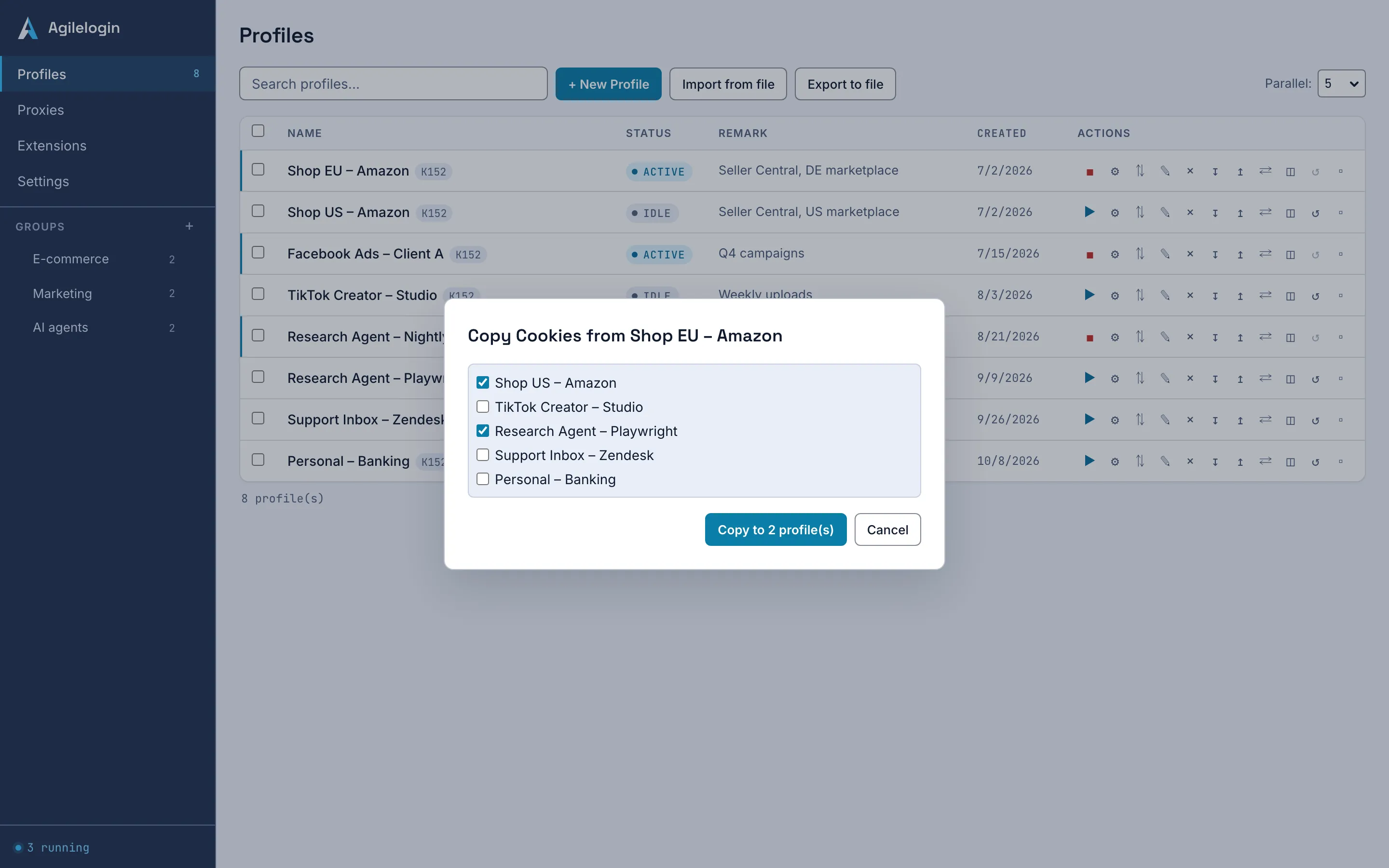
Import reads a cookie file and writes its entries into the Profile's own cookie store, showing the format, the count and how many are already expired before you confirm. Export writes the Profile's cookies to a file in the format you choose. Copy replaces the cookies in other Profiles with this one's. Underneath, each managed Profile has its own 32-byte key, generated by the app and handed to the kernel at launch, and the kernel encrypts cookie values with it.
Three operations and one key per Profile.
Netscape cookies.txt, JSON, and the EditThisCookie export shape. Import recognises the format on its own; export asks which one you want.
The preview shows the format, the number of cookies, how many are expired and which domains they belong to. Expired cookies are skipped, or you can extend every expiry to one year before importing.
Copying replaces all cookies in the Profiles you select with this Profile's. If any cookie in the source cannot be read with its key, nothing is copied and the targets are left untouched.
Each managed Profile's cookie store is encrypted with its own random key, created by the app and passed to the kernel over the launch channel. A Profile's cookies cannot be opened with another Profile's key.
Cookies are the one asset that cannot be rebuilt, so the boundary is explicit.
| Subject | Agilelogin boundary | Operator action |
|---|---|---|
| Cookies and sync | Not synced and not uploaded; they stay in this computer's Profile store | Export a file if you need a copy elsewhere, and keep it where only you can reach it. |
| An exported file | Written in plain text in the chosen format; anyone who has the file can use the sessions in it | Treat it like a password file; cloud-synced folders upload it automatically. |
| The Profile key | Kept in the app's encrypted store on this computer; if it cannot be read, the app enters recovery mode | Follow the Help center's recovery article before deleting anything. |
The same steps whether the cookies come from a file or from another Profile in the app.
Export the signed-in Profile's cookies to a file, or pick that Profile as the source of a copy.
For an import, read the format, count and expired figures; extend expiry if the file is old.
Import writes into one Profile. Copy replaces the cookies in every target you selected, so pick them deliberately.
Open the Profile and confirm the site treats it as signed in. If it does not, the site may bind sessions to more than cookies.
What the cookie tools do not do yet.
No. Sync covers Profile settings, saved proxies, groups and the extension list. Cookies stay on this computer; the privacy policy says the same.
If it exports Netscape cookies.txt, JSON or the EditThisCookie format, yes: import the file into a Profile and check the preview first.
Each managed Profile gets its own random 32-byte key, created by the app and held in its encrypted store. The kernel encrypts the Profile's cookie values with it, so a cookie database copied out of one Profile folder is unreadable without that key.
Moving more than a few Profiles at once? Bulk import and export carry cookies inside a single JSON file.